
Local AI models on your own machine
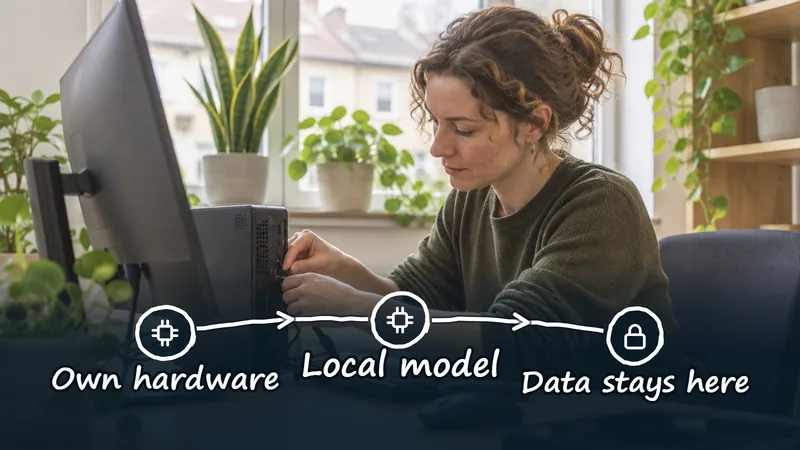
Local AI models on your own machine run on your own computer, so the question and the data do not leave your device. That suits very sensitive information. In return, local models are smaller and slower than the largest cloud models. CoVince can work with such a local model, alongside European cloud models.
What a local model is
Open models (for example in GGUF format) can be downloaded and run on an ordinary workstation. No text goes to an external provider. For a healthcare professional, lawyer or researcher with very sensitive text that is a strong argument: the question stays on the device, so there is no provider who can read the text, store it or have to hand it to a foreign authority.
The limits
- Quality: small models perform worse on hard tasks than the largest cloud models.
- Speed and memory: it depends on your hardware, and large models need a lot of memory.
- Management: you must keep models up to date yourself.
- Language: check how well the model speaks your language, and above all your professional jargon.
- One device: what runs locally is not automatically available to your whole team.
How CoVince works with it
The CrewMate can use a model that runs on your own machine. CoVince offers a list of models for that, including small open models, and sends the question to the local model instead of a cloud service. For the questions you keep local, the text therefore does not leave your device. If you want a European cloud model for other tasks, you choose that in the model picker, see European AI models.
When to choose local?
| Situation | Choice |
|---|---|
| Very sensitive text, simple task | Local model |
| Sensitive text, complex task | EU-hosted model, see European models |
| Not sensitive, high quality needed | Powerful cloud model |
That way you combine sovereignty and quality per task. Also read about the alternative to Copilot.
An example: a small employment-law practice
Imagine a fictional law firm with four lawyers that wants files summarised and draft letters proposed. The files contain data about health and disputes, so the partners do not want that text to reach an external provider. They start with a local model on two powerful laptops and let it work only on summaries of documents that have already been anonymised. The quality of the first draft letters turns out to vary, so that task does not go to the local model for now. The summaries work well enough to serve as a starting point. So the firm does not have to choose all or nothing: the local model gets the task it is strong enough for.
How to run a one-week trial
- Pick one task with sensitive text that is not too hard, such as summarising or cleaning up a text.
- Choose a small open model and see what your device can handle; start small.
- Have two colleagues process and assess the same ten examples.
- Note speed, memory use and the mistakes you see, also in your own language.
- Decide after a week: keep it, try a larger model or move the task to a European cloud model.
Checklist
- Is the text really sensitive enough to make running locally worth it?
- Does the device have enough memory for the chosen model?
- Who maintains the model and updates it?
- Is it fixed which tasks go local and which do not?
- Do colleagues know a local model can make mistakes and that they check the result?
Common mistakes
The first mistake is expecting a small model to do the same as the largest cloud model. The second is running locally without managing it: an outdated model on a laptop nobody maintains is not a policy. The third is thinking local solves everything. A lost device or a workstation without encryption is still a risk, and the organisation remains responsible for the data it processes. See also Schrems II for the question of when data may go to a provider outside the EU at all.
Management: who keeps it up?
A local model is a piece of software you install yourself. So agree who tests new versions, who decides which model goes on which devices and what happens when an employee leaves or a laptop disappears. A short list of devices and models is usually enough. Without that agreement shadow IT appears: everyone runs something different, and nobody knows what happened where.
A fallback route
Running locally is no reason to let go of all other options. Keep a European cloud model in reserve for tasks that turn out too heavy, so a disappointing trial does not lead back to a model you would rather not use. It is about the right tool per task. A small trial with a clear closing question, for example "is this good enough for our summaries?", yields more than a long discussion beforehand, and you record the answer for the next colleague who asks the same question.
In short: start small, measure what you see, record what goes local and what does not, and review that as soon as the models or your hardware change.
Frequently asked questions
What is a local AI model?
A model that runs on your own computer, so the question and the data do not leave your device.
Are local models as good as cloud models?
Usually not for hard tasks. For simple tasks with sensitive text they are often good enough.
Can CoVince work with a local model?
Yes, the CrewMate can use a model that runs on your own machine.
What do I need?
A computer with enough memory and a suitable open model. What is realistic depends on your hardware.
Is no data processing agreement needed then?
For a model that runs entirely on your own device, the text does not go to an external provider. You remain responsible for the security of the device and the data.
Can I combine local and European cloud models?
Yes. You choose per task: very sensitive simple tasks locally, complex tasks on a European cloud model.